


Introduction to Microsoft Family Safety Application
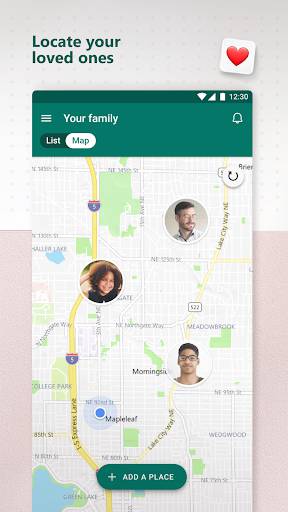
1. The Microsoft Family Safety application is a powerful tool designed to provide a safe and secure digital environment for families. With a range of functions and features, this application enhances parental control and assists in managing screen time, content filters, location tracking, and much more.
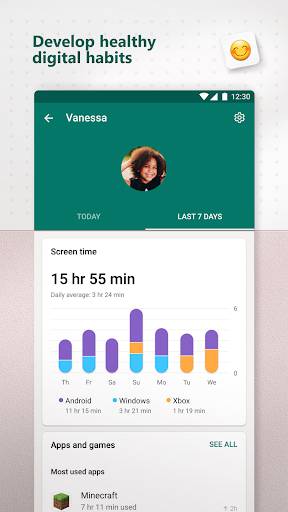
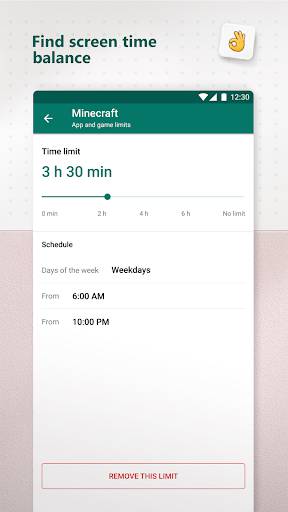
2. One of the most attractive features for users is the ability to set screen time limits for various devices, ensuring that children strike a healthy balance between their online and offline activities. Parents can easily manage and monitor their children's screen time, helping them develop responsible digital habits.
3. Currently, the Microsoft Family Safety application has gained significant popularity globally and boasts a large user base. With its availability on various platforms and devices, such as Android, iOS, and Windows, it has successfully garnered a wide user adoption across different regions.
4. While the Microsoft Family Safety application offers a wealth of benefits, some users commonly encounter issues during the initial setup or adapting to certain features. Troubleshooting connectivity issues, syncing problems, or difficulties with implementing location tracking can occasionally arise. However, Microsoft provides comprehensive support to address these concerns and continuously works on improving user experience.
5. Advantages:
- Enhanced parental control: The application empowers parents to manage and monitor their children's digital activities effectively, promoting a safer online environment.
- Screen time management: Users can set limits and schedules to ensure a healthier balance between screen time and other activities, fostering responsible device usage.
- Content filters and browsing safety: Parents can enforce appropriate content restrictions and monitor web browsing for their kids, safeguarding against harmful or inappropriate material.
Disadvantages:
- Initial setup complexities: Some users may face challenges when setting up the application, but comprehensive support is available to aid in the process.
- Potential privacy concerns: As the application involves location tracking and monitoring, users should be mindful of privacy implications and ensure consent among family members.
In conclusion, the Microsoft Family Safety application offers a plethora of functions and features, including screen time management, content filters, and location tracking. It has gained a significant user base globally and continues to provide comprehensive support. While a few concerns and complexities may arise, the advantages of enhanced parental control, screen time management, and browsing safety make it a valuable tool for creating a safer digital environment for families.